
— CASE STUDY: MARKETING 360 DESIGN SYSTEM
Reimagining Mobile: CRM & Payments
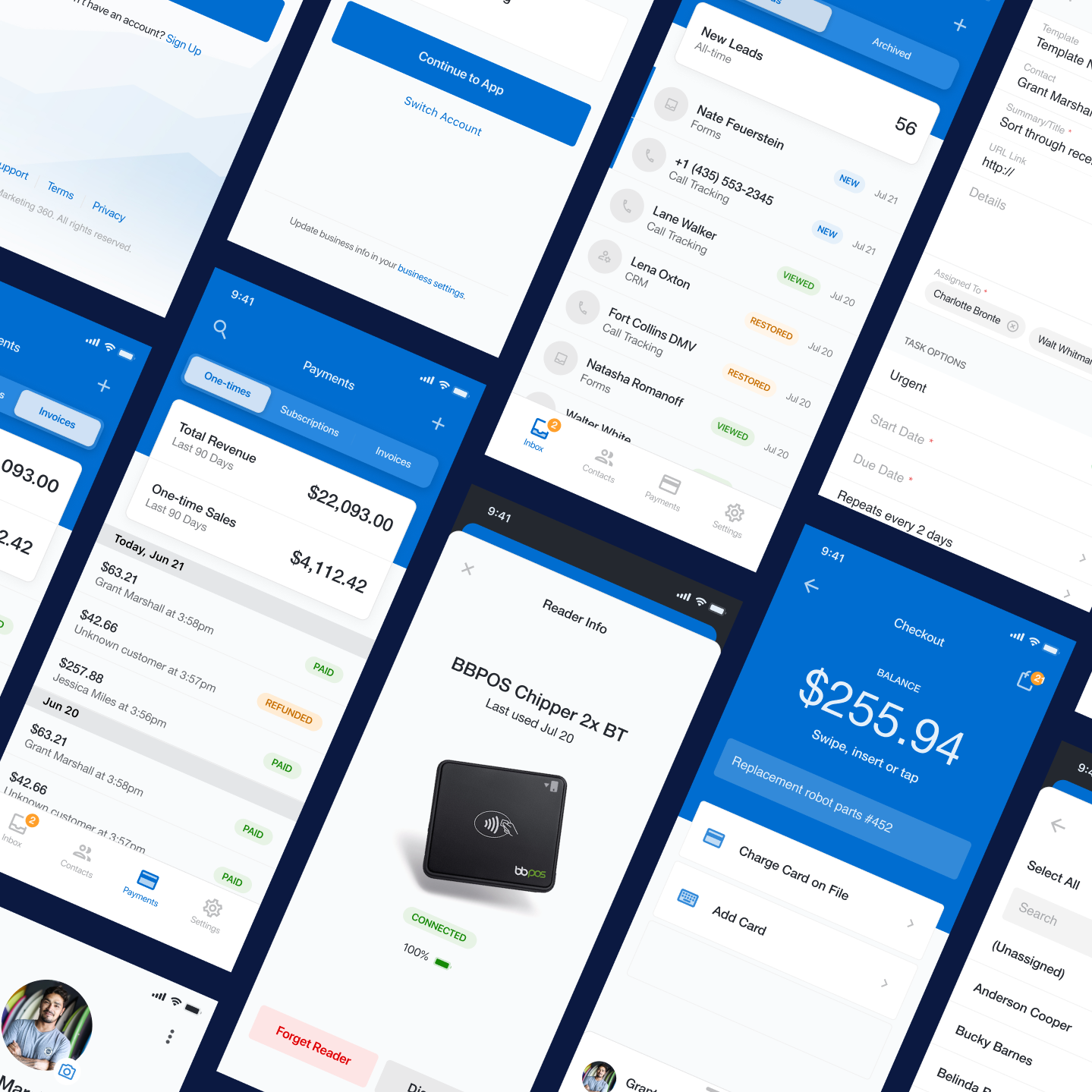
Marketing 360’s CRM & Payments mobile app extends the web platform’s core capabilities into a mobile-first experience, enabling SMBs to create contacts, qualify leads, accept tap-to-pay payments, and issue invoices directly from the field.
Role
Product Designer (Remote)
Platform
iOS
Responsibilities
Research & Testing
UX & UI Design
Timeline
Q4 2021 - Q2 2022
Framework
Figma Library
Overview
A mobile-friendly solution for SMBs
I collaborated on the product design for marketing 360’s official mobile crm platform with engineers, product managers, and stakeholders to centralize the most valued functions of the CRM in a mobile friendly on-the-go format.
Branching off of insights from users and support teams, we learned to make a minimum viable product, the mobile application must include a leads management inbox, a contact management inbox, and an invoicing management tool.
We piloted the tool with a subset of customers to ensure retention and scalability before official launch. After piloting and launching the MVP, we prioritized the next phase of core capabilities based off user input. Of these features, some included the follow: A tap-to-pay payment gateway, a subscription generating feature, and a tasks and reminders function.
Goals
Increase platform retention and reduce churn
Extend core CRM workflows to mobile so SMB owners can manage their business on the go and remain engaged with the Marketing 360 ecosystem.Reduce friction in revenue-generating workflows
Enable users to quickly respond to leads, create contacts, accept tap-to-pay payments, and send invoices directly from a mobile device.Improve lead response time
Allow SMBs to review and vet incoming leads from their mobile inbox, increasing the likelihood of converting inquiries into customers.Increase adoption of integrated payment tools
Make Marketing 360’s payment features more accessible by enabling mobile invoicing and tap-to-pay functionality within the CRM ecosystem.
Business Problem
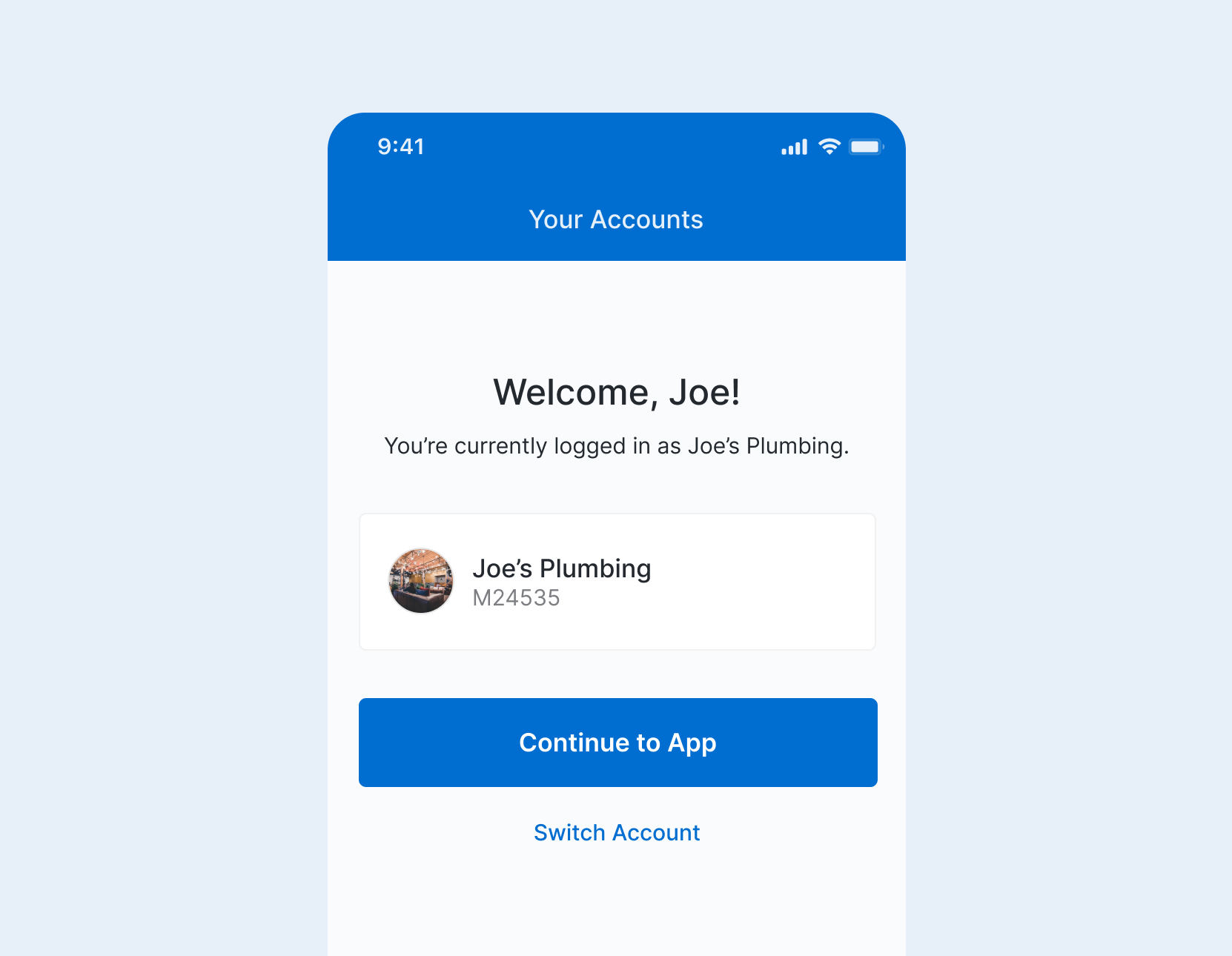
Marketing 360’s CRM was built for desktop, while SMBs operate in real-time, in the field.
This disconnect slowed lead response, and introduced friction into revenue-critical workflows. All of this ultimately impacted engagement and increased churn risk.
Core Business Need
Enable real-time, mobile-first access to core CRM workflows to increase conversion speed, drive revenue capture, and reduce churn.
User Problem
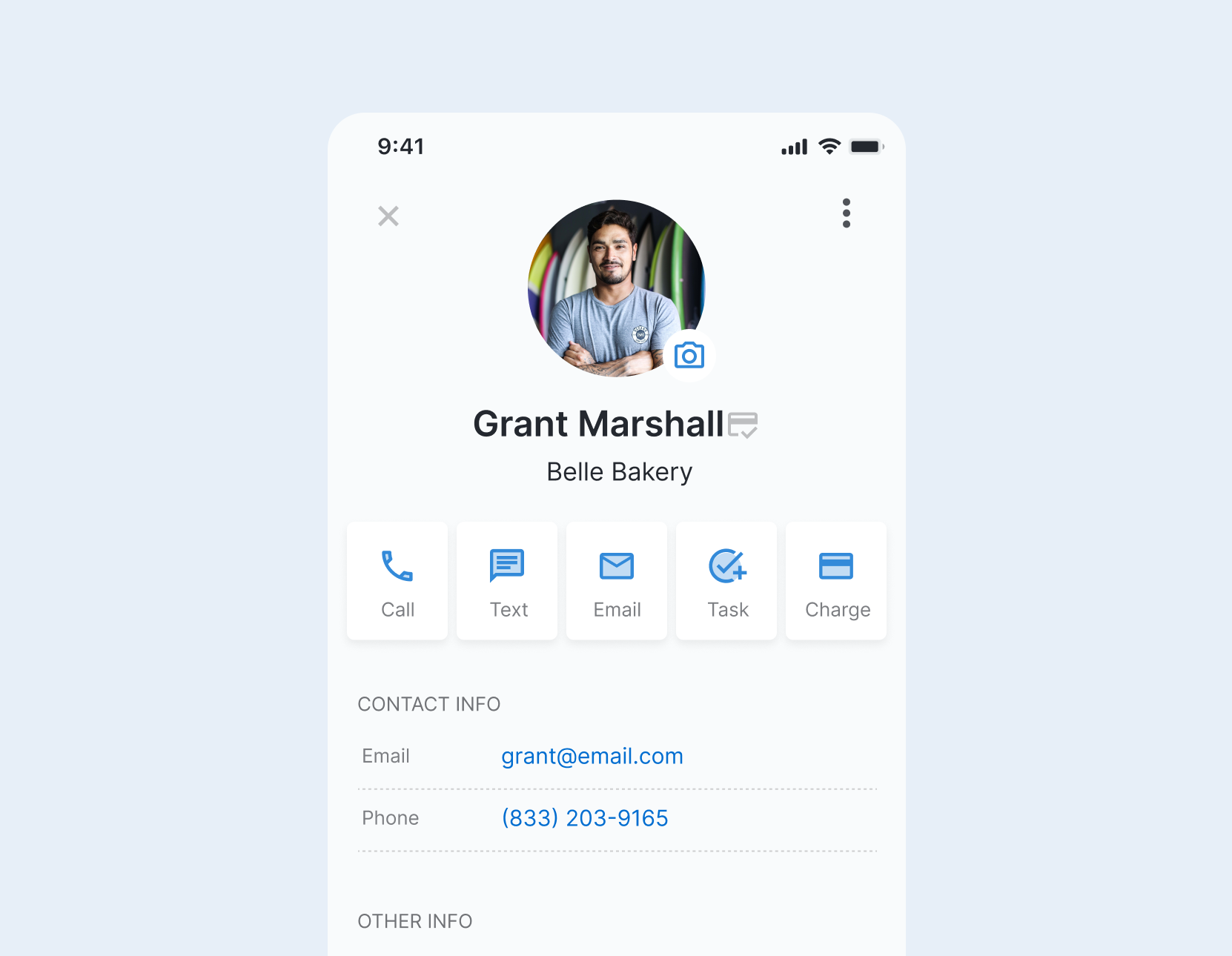
SMB owners needed to act in the moment, but core workflows such as responding to leads and accepting payments were exclusively used on the desktop web app since the mobile version of the platform was too robust to sign in and access on mobile Safari or mobile Chrome.
Since users opted out of the mobile responsive tool entire, they couldn’t respond to leads, capture customer info, or accept payments during live interactions. This caused delays and missed opportunities.
Core User Need
Quickly respond, update, and transact in the moment.
The Challenge
Translating a robust desktop CRM & Payments tool into native mobile
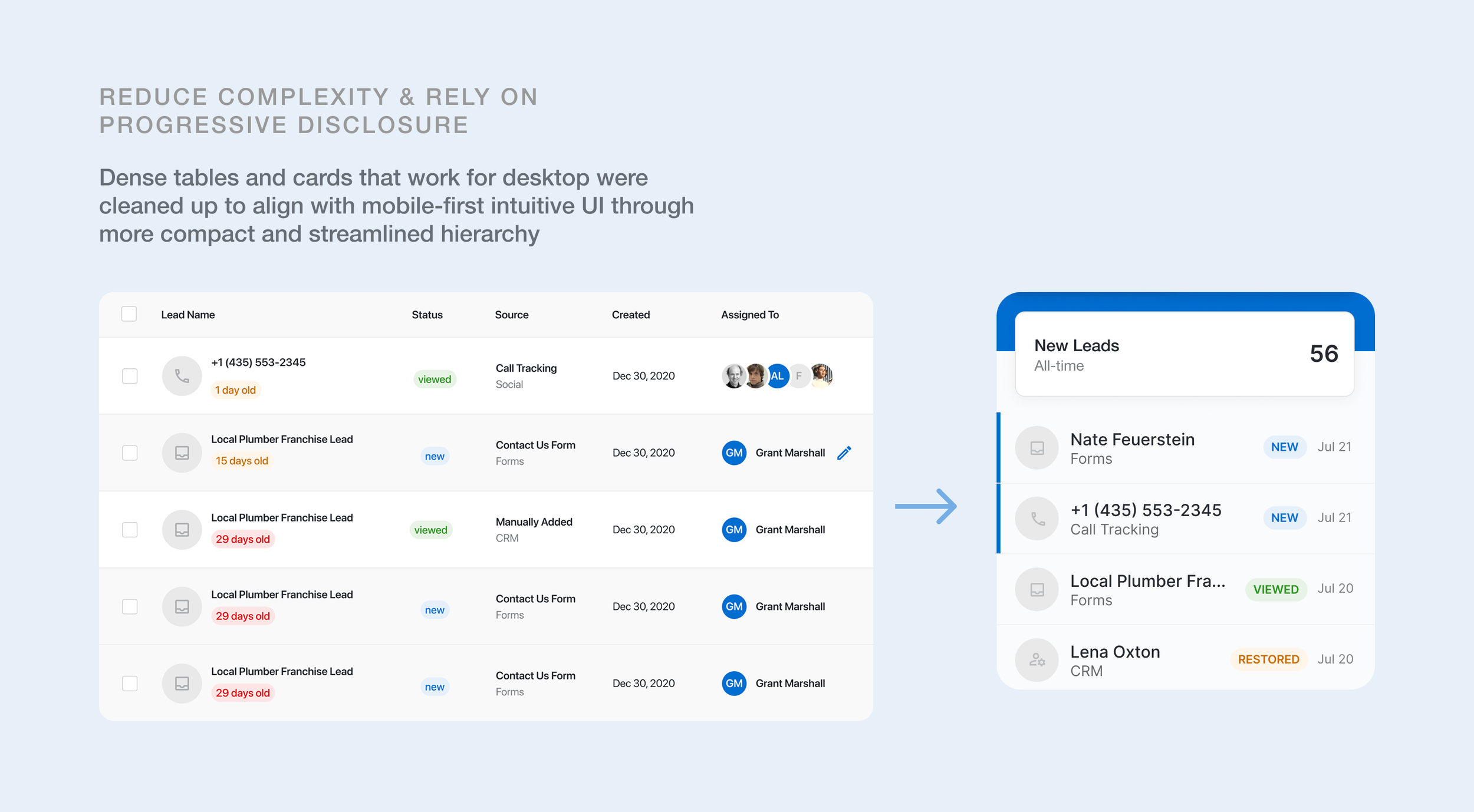
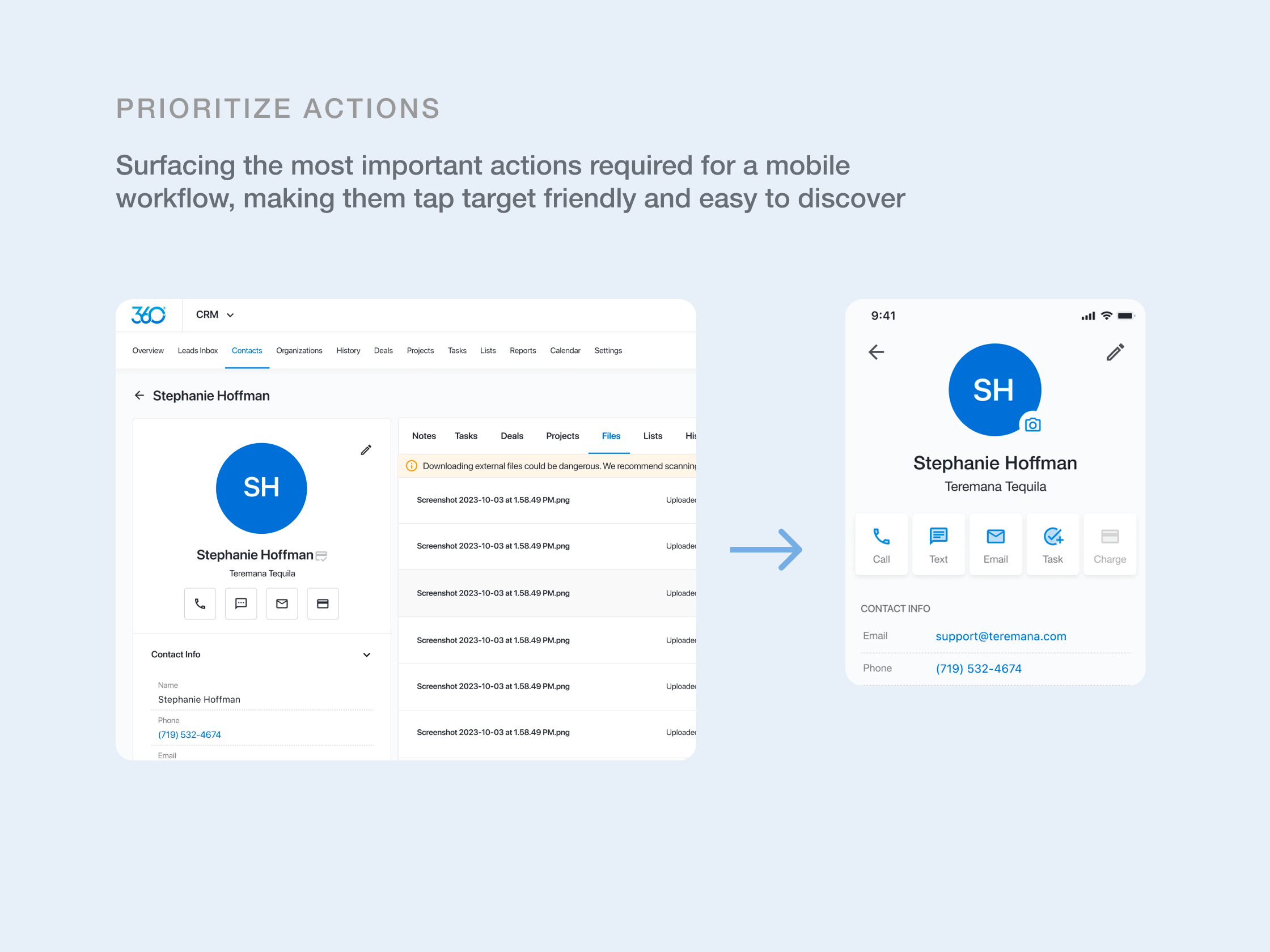
The challenge wasn’t just shrinking the interface. Marketing 360’s desktop CRM had dense workflows, large data tables, and many secondary actions that didn’t fit mobile. Each screen required prioritizing what stayed visible, what moved to progressive disclosure, and what could be removed without breaking workflows. We focused on the highest-value tasks users needed on the go and redesigned for smaller screens, prioritizing essential actions:
- Managing contacts
- Reviewing leads
- Accessing account information
- Collecting payments
- Creating invoices
- Managing subscriptions
The business needed speed.
Users needed simplicity.
The solution had to deliver both.
All from a single native experience.
Competitive Analysis
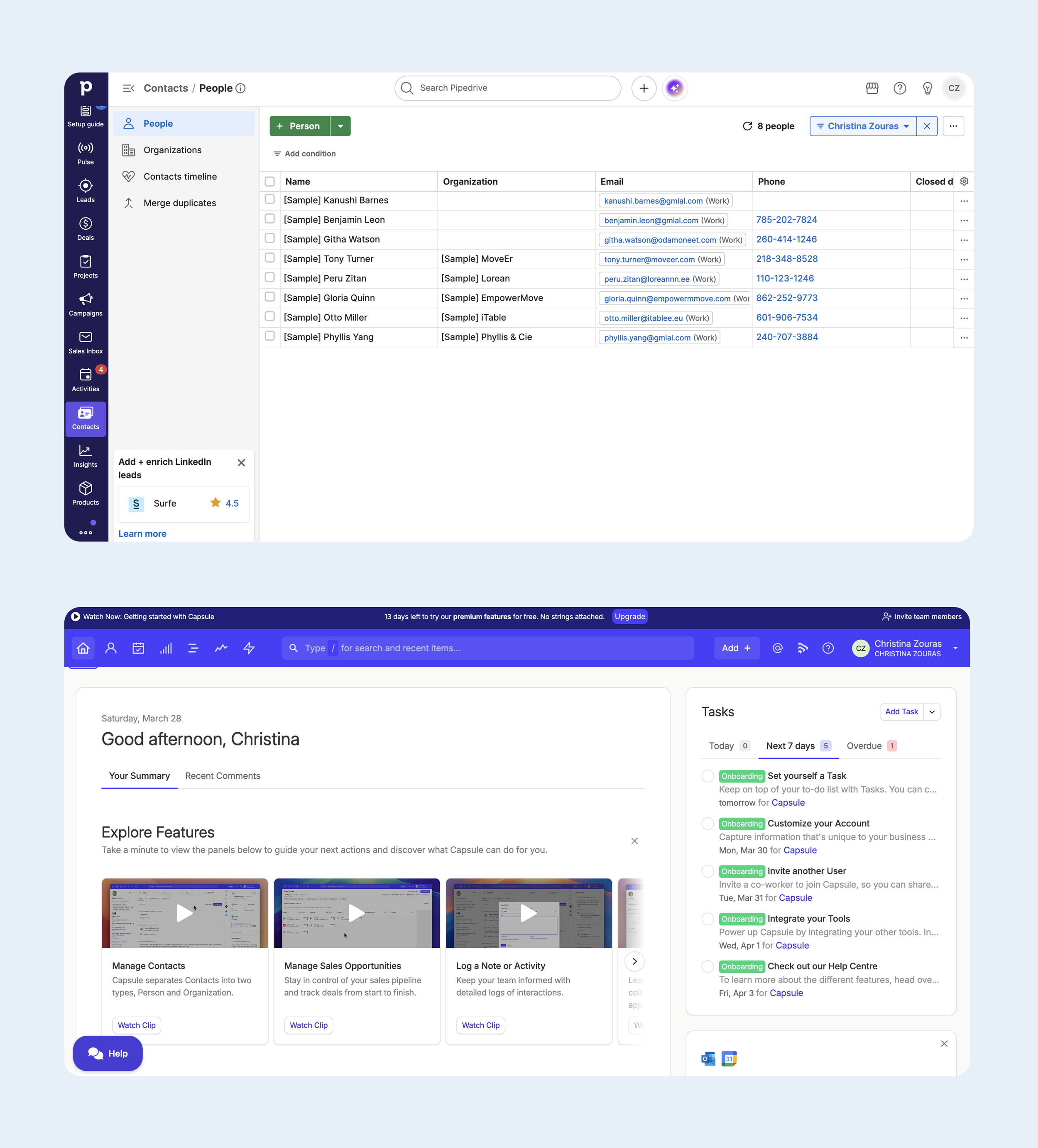
Our team studied several competitors in the SMB CRM space to understand where the gaps were and how Marketing 360 can position itself as a stronger choice.
OUR FINDINGS
Key gaps
Core revenue-driving actions (such as responding to leads, capturing customer data, and processing payments) are not optimized for on-the-go. Mobile responsive web experiences were severely lacking, buggy, or nonexistent.
Implications
When action is delayed on core-revenue driving actions, conversion drops. SMB users either defer tasks or rely on external tools, fragmenting their workflow.
Ideation Process
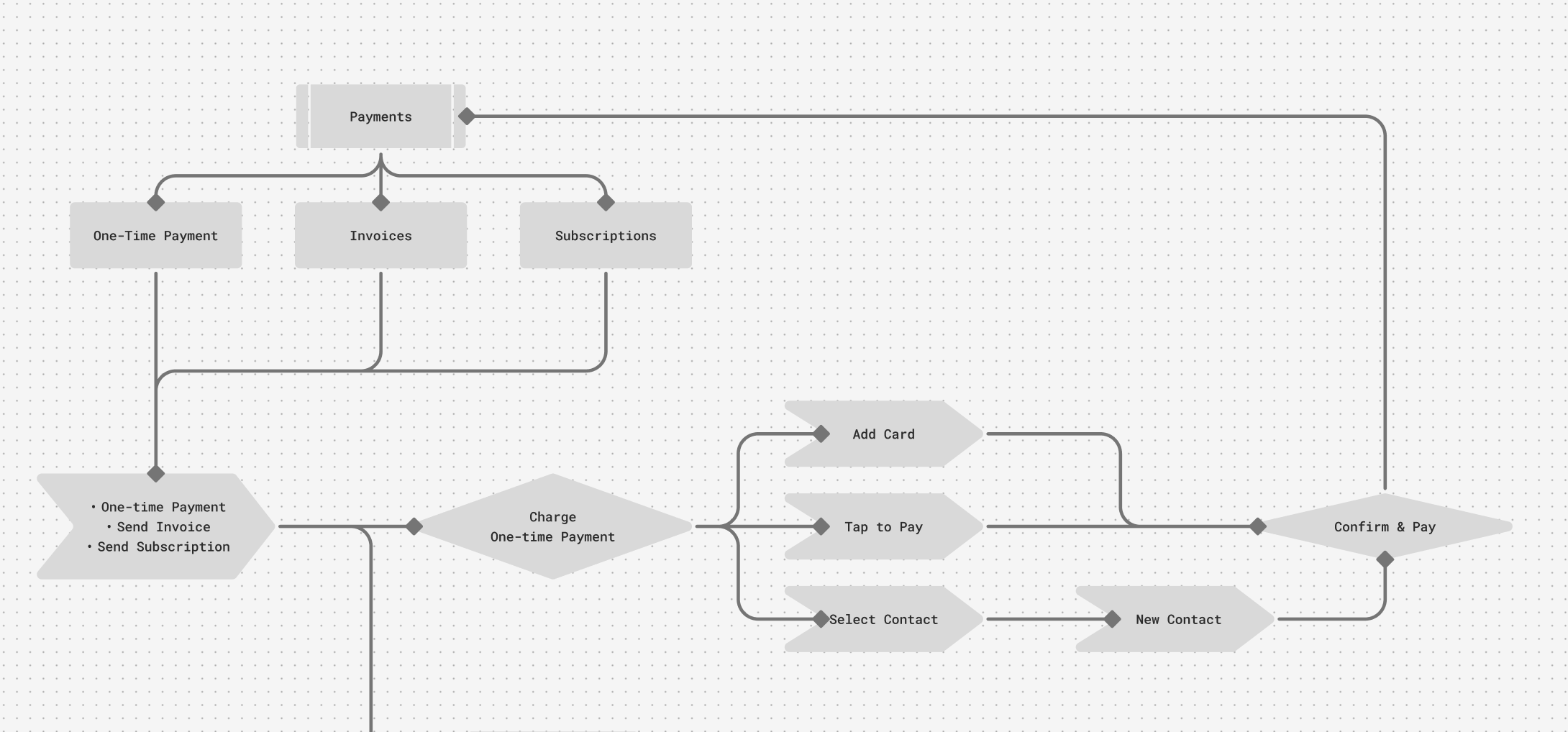
CREATING A SITE MAP
Using insights gained from our discovery & competitive analysis research, our team prioritized features with key stakeholders and then used the card sort method to brainstorm a site map structure that could scale past the MVP phase:
Leads Inbox
Contact Management
Managing Payments
Settings / Account Manager
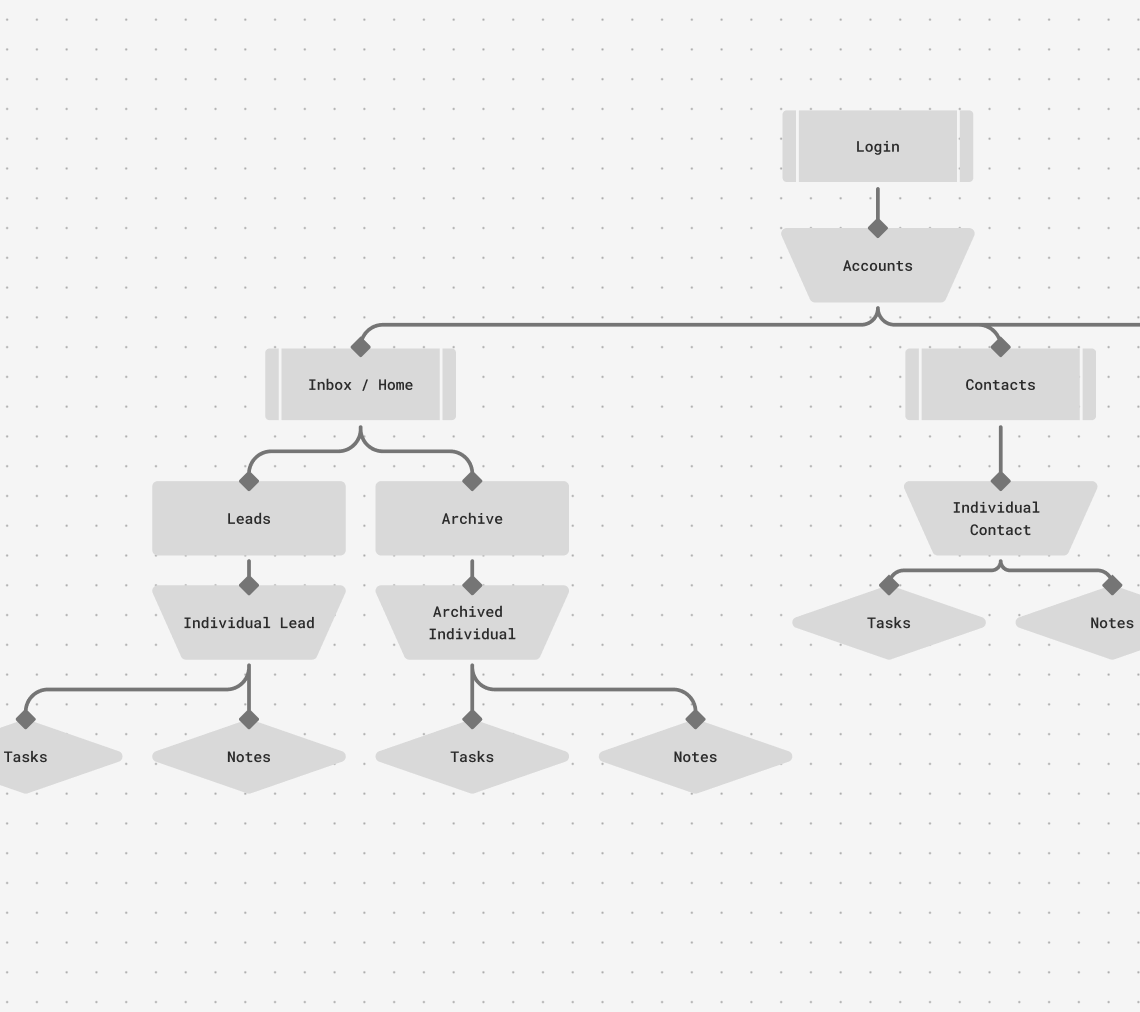
TASK FLOW FOR ONE-TIME PAYMENT
We collaborated with our engineering team & product managers by creating basic task flows. From there, we wrote user acceptance stories and mapped out comprehensive lists of features for MVP, features fit for scaling post-MVP, success paths, and error paths. No stone went unturned.
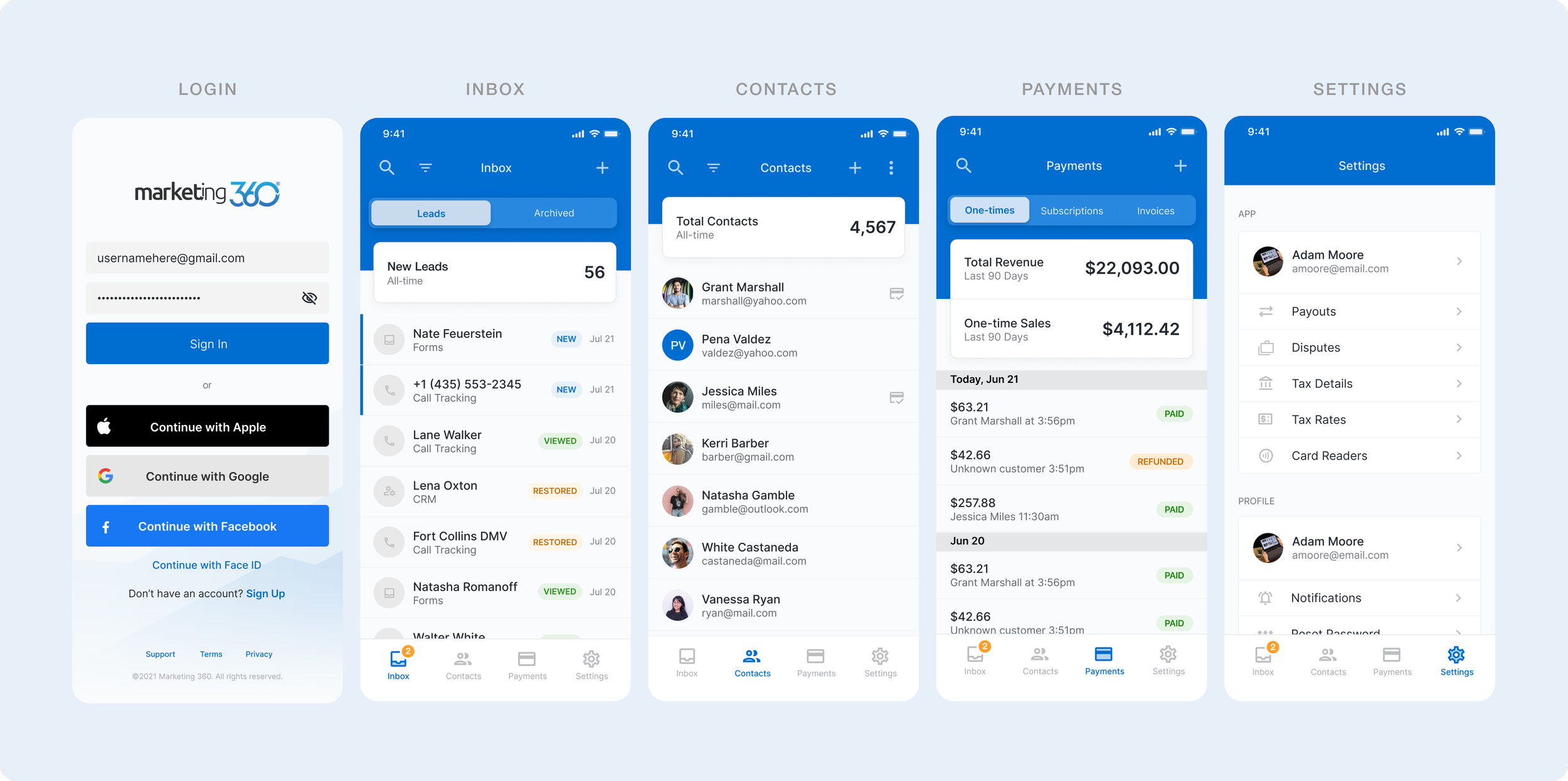
CORE SCREENS
High-fidelity comps of the core capabilities:
Lead management, contact management, payment processing, and account settings.
User Testing
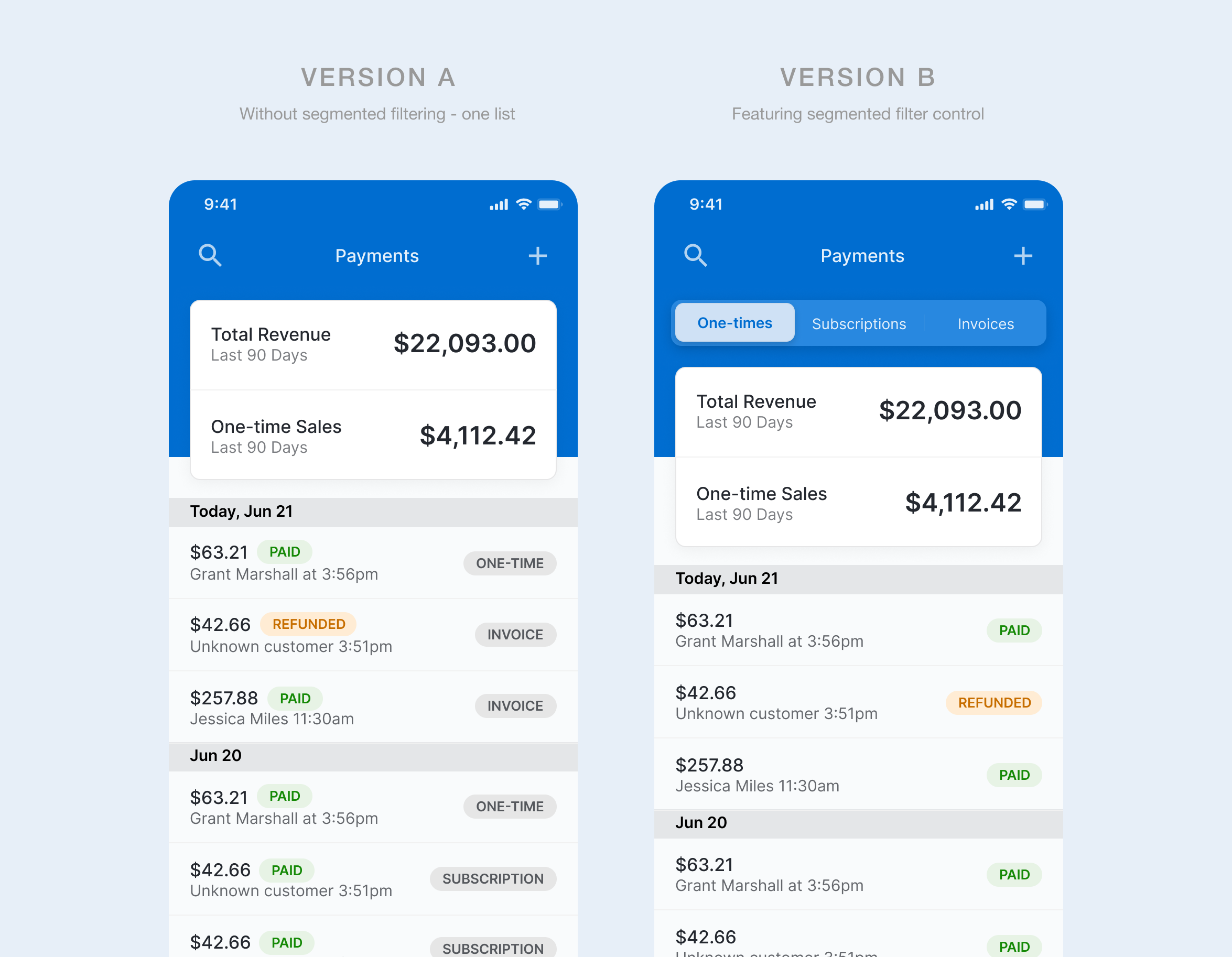
We ran rapid usability validation and moderated user tests to examine viability of core workflows and minimize rework. This included a comparative evaluation of the payments experience, testing a segmented control approach to differentiate payment types (invoices, subscriptions, and one-time payments).
INSIGHTS EMERGED
Clarity Signals
Users preferred clear visual cues and status indicators that made actions immediately understandable without second- guessing themselves.
Compartmentalization
Users favored segmented controls to quickly filter and access different streams of information. This separation reduced cognitive load and enabled faster navigation.
User Test Sample
Real-life scenario workflow
“Imagine you’re with a customer right now, how would you create a send them an invoice?”
Lead responses
“Walk me through how you would respond to a new lead using this app.”
AB testing & task completion time
“Locate and open a one-time payment… Locate and open a subscription payment… Now an invoice.”
Insight Fishing
“What felt missing or more confusing than you expected?”
“I like this version (segmented) better. It takes less time to swipe through and find what I need.”
— DIRECT USER QUOTE
RESEARCH-INFORMED & ITERATIVE MVP
Contact creation and contact revisions were two features not originally included in the MVP scope. However, testing surfaced a clear behavioral pattern: SMB users often need to add new contacts at the moment of payment. To support this real-time workflow, we expanded the MVP to include in-flow contact creation. The decision was aligned with stakeholders and implemented without meaningful impact to development timelines.
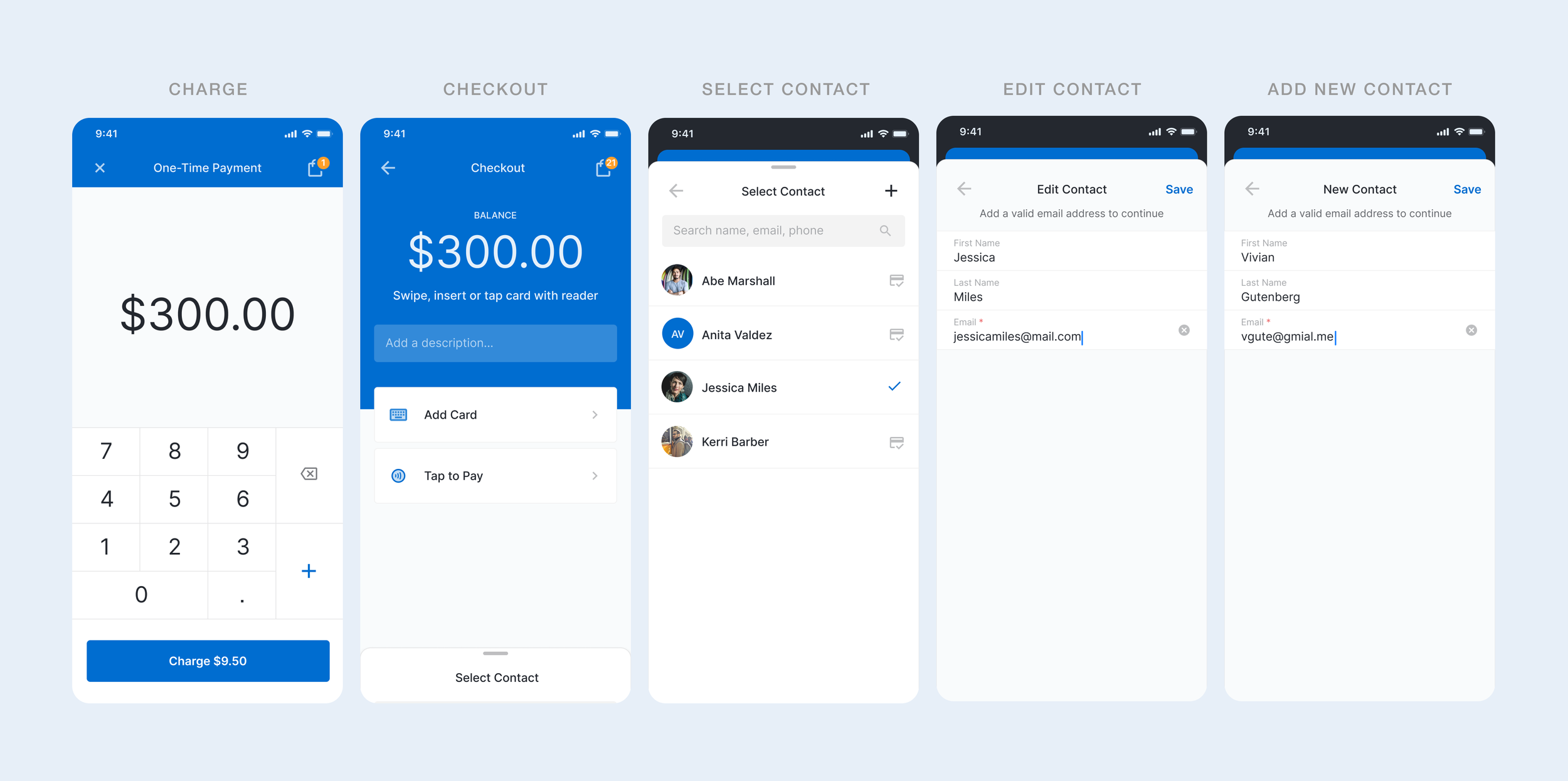
STRATEGIC VALIDATION TESTING
Contact task management was initially considered a must-have for the MVP. However, prototype testing indicated it had low impact on early user workflows compared to core revenue-driving actions. Based on this, we deprioritized the feature to focus on higher-value capabilities for launch, reducing scope without compromising user or business outcomes.
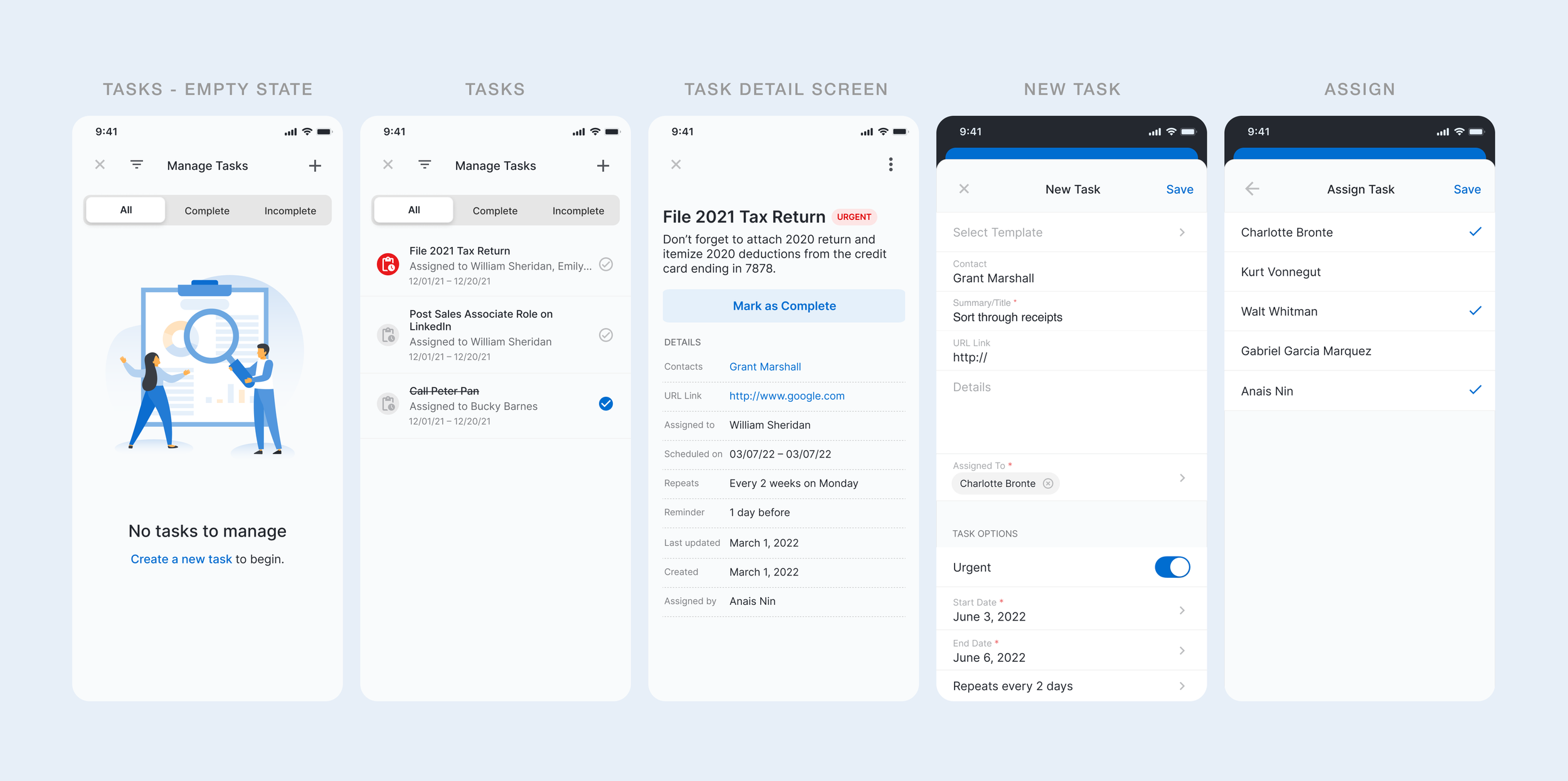
THE OUTCOME
The result was not a smaller version of the desktop product, but a more intentional mobile experience built around the moments users were most likely to need away from their desks.
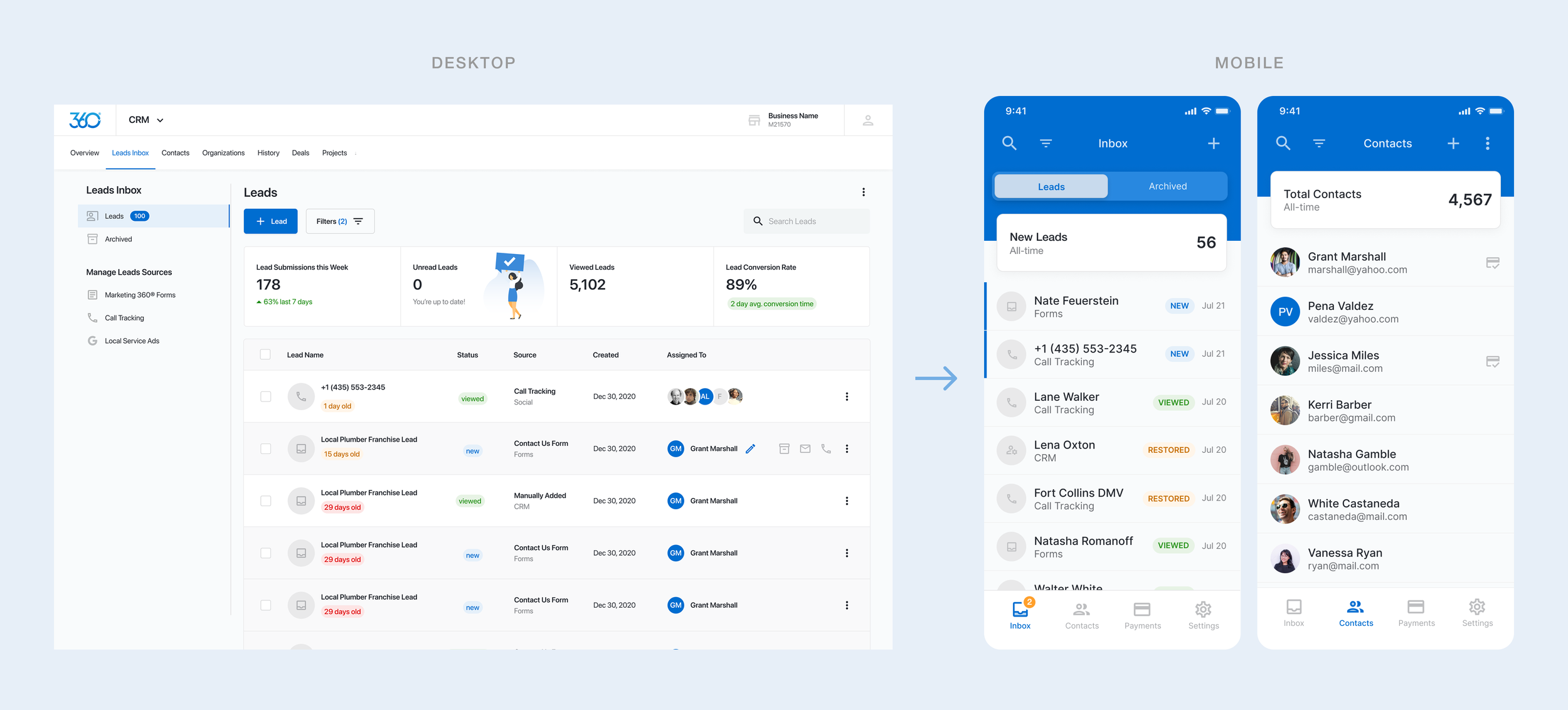
Key Findings
-
![]()
Mobile is not an afterthought, it’s treated as a primary interface
Designing mobile as a secondary extension of desktop limits adoption. Treating it as a primary execution environment better aligns with how SMBs actually operate.
-
![]()
Easy to access actions reduce tool-switching and drop-off
Embedding actions like contact creation and payments within the same flow eliminated the need for users to leave the moment, reducing workflow fragmentation and missed opportunities.
-
![]()
Realistic workflows outperform robust feature sets
Prioritizing the ability to act in the moment (responding to leads, capturing contacts, taking payments) delivered more value than shipping a broader set of features.



KPIs & performance
The mobile app exceeded expectations, delivering strong results without aggressive campaigning. The tool sold itself and delivered intrinsic value.
MOBILE ADOPTION RATE
within 30 days post-launch was
80%
BUSINESS IMPACT
Mobile initiated payments increased
60%
TASK COMPLETION
on mobile increased by
85%
WEEKLY RETENTION
by repeat engagement increased